Siloed per project
Each folder keeps its own memory. Your preferences, a lesson about a library, how you like to work: none of it reaches the next project.
Free beta · macOS · for Claude Code
Claude Code forgets in one project what it learned in another. SharedBrain gives it a single memory shared by all your projects, and gives you a dashboard to see what it knows and fix what's wrong. Everything stays on your Mac.
Each folder keeps its own memory. Your preferences, a lesson about a library, how you like to work: none of it reaches the next project.
It lives in Markdown files in a hidden folder. You can't easily see what Claude remembers, or what's outdated or simply wrong.
Duplicates pile up, contradictions go unnoticed, and stale facts keep getting loaded into new sessions.
Install the app, connect Claude Code with one click and keep working as usual. SharedBrain imports the memory you already have, so it's useful from the first minute.
Claude starts with a compact summary: your global preferences, what applies to the project's topics, and the project's own notes. It starts out knowing, instead of having to remember to look.
Claude searches the whole brain when it needs to (“you solved this in billing-api last week”) and saves what it learns, with a type and a scope: global, topic or project.
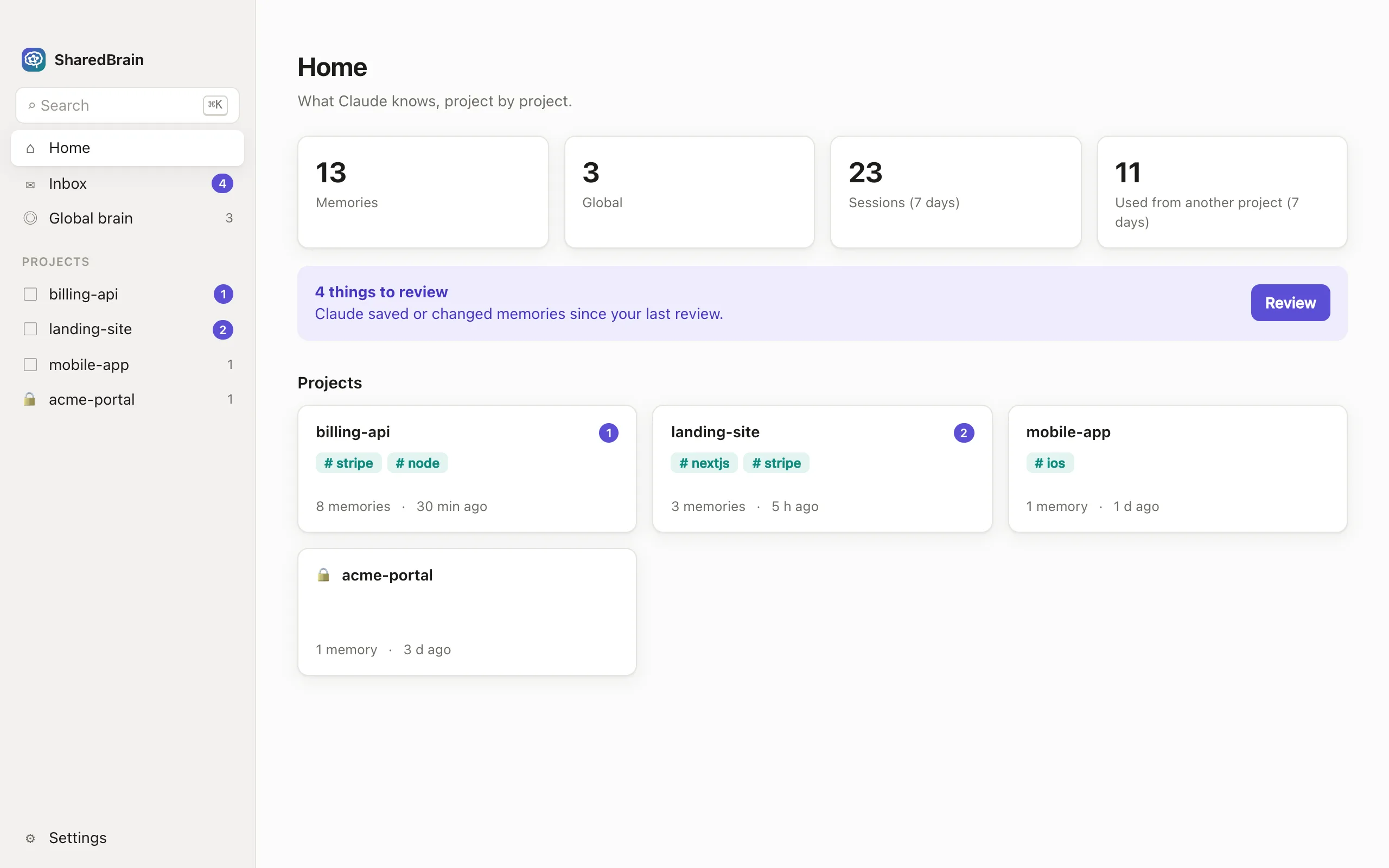
Everything Claude saved or changed since your last visit lands in an inbox. Keep, edit, pin or archive, all from the keyboard. Every memory shows the project and session it came from.
When the same fact shows up in several projects, SharedBrain suggests merging it or making it global. Nothing is merged or promoted without your OK.
Mark a project as private, such as client work under NDA, and its memories never reach your other projects.
A dashboard built around one question per screen. No need to know what a hook or an MCP server is.
Review what's new. The same fact in two projects? Merge it or make it global.
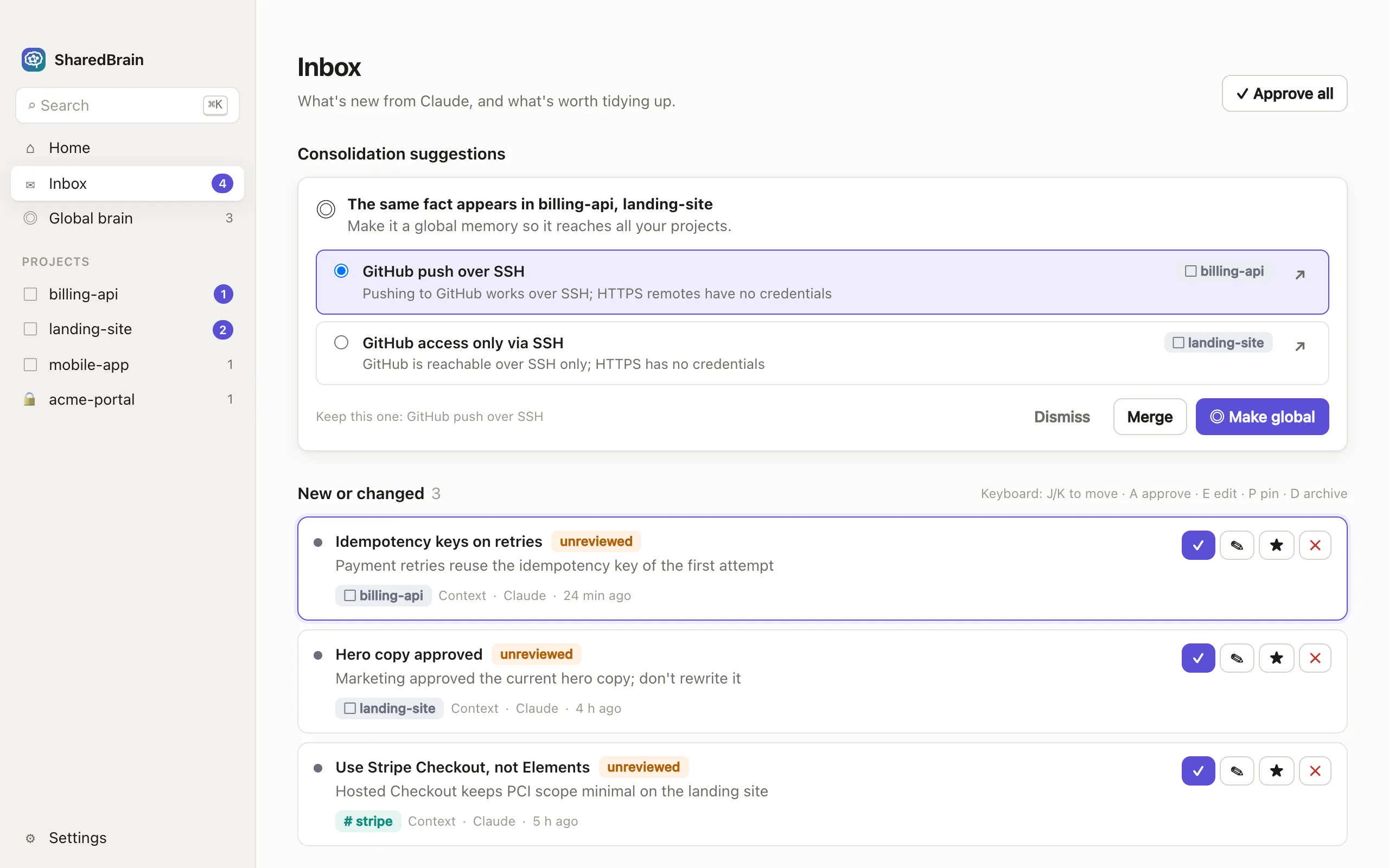
The exact text Claude receives when a session starts in this project, and how much room it takes.
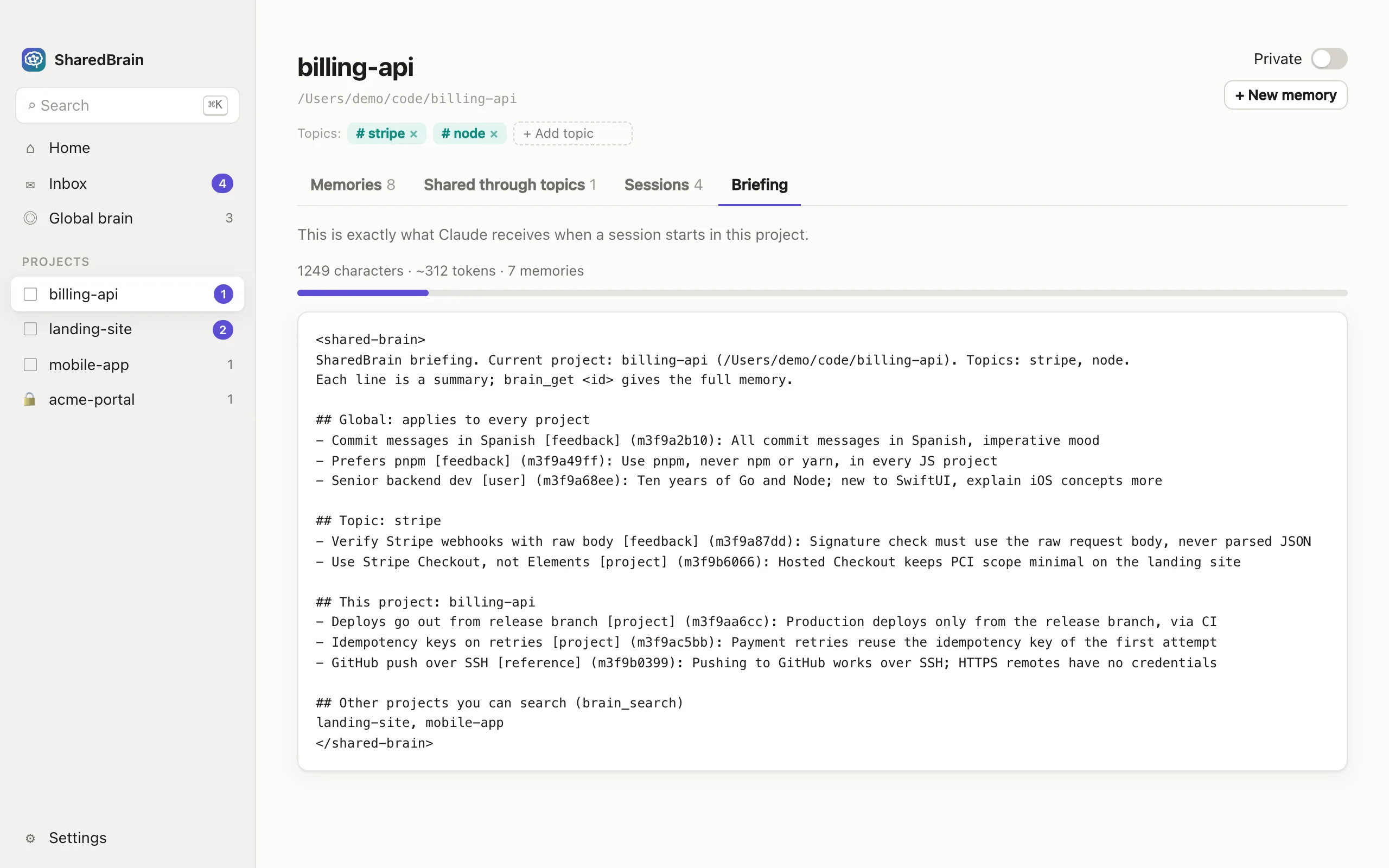
Each memory shows its project, session and author, its history, and every time Claude used it.
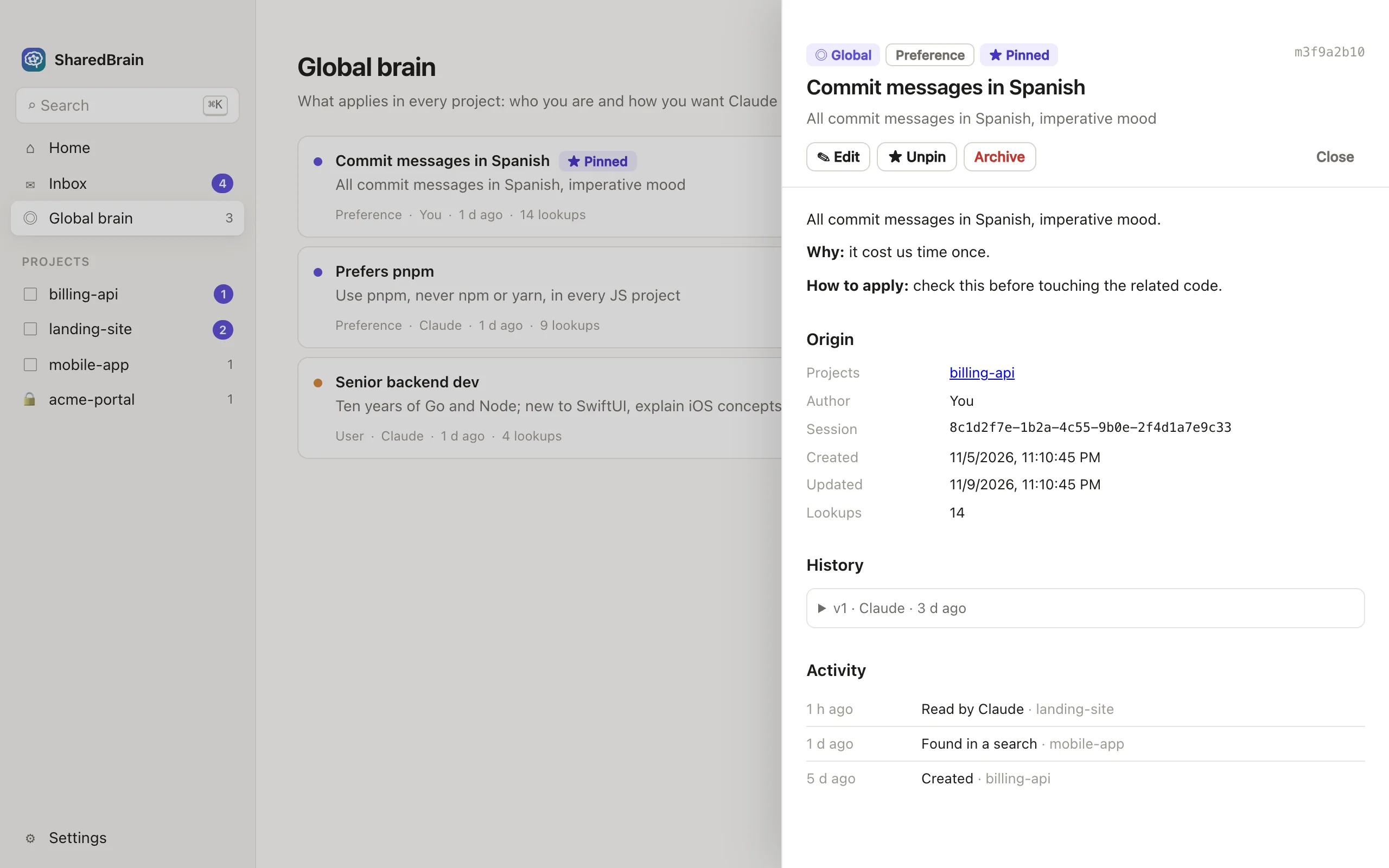
⌘K finds anything, in any project.
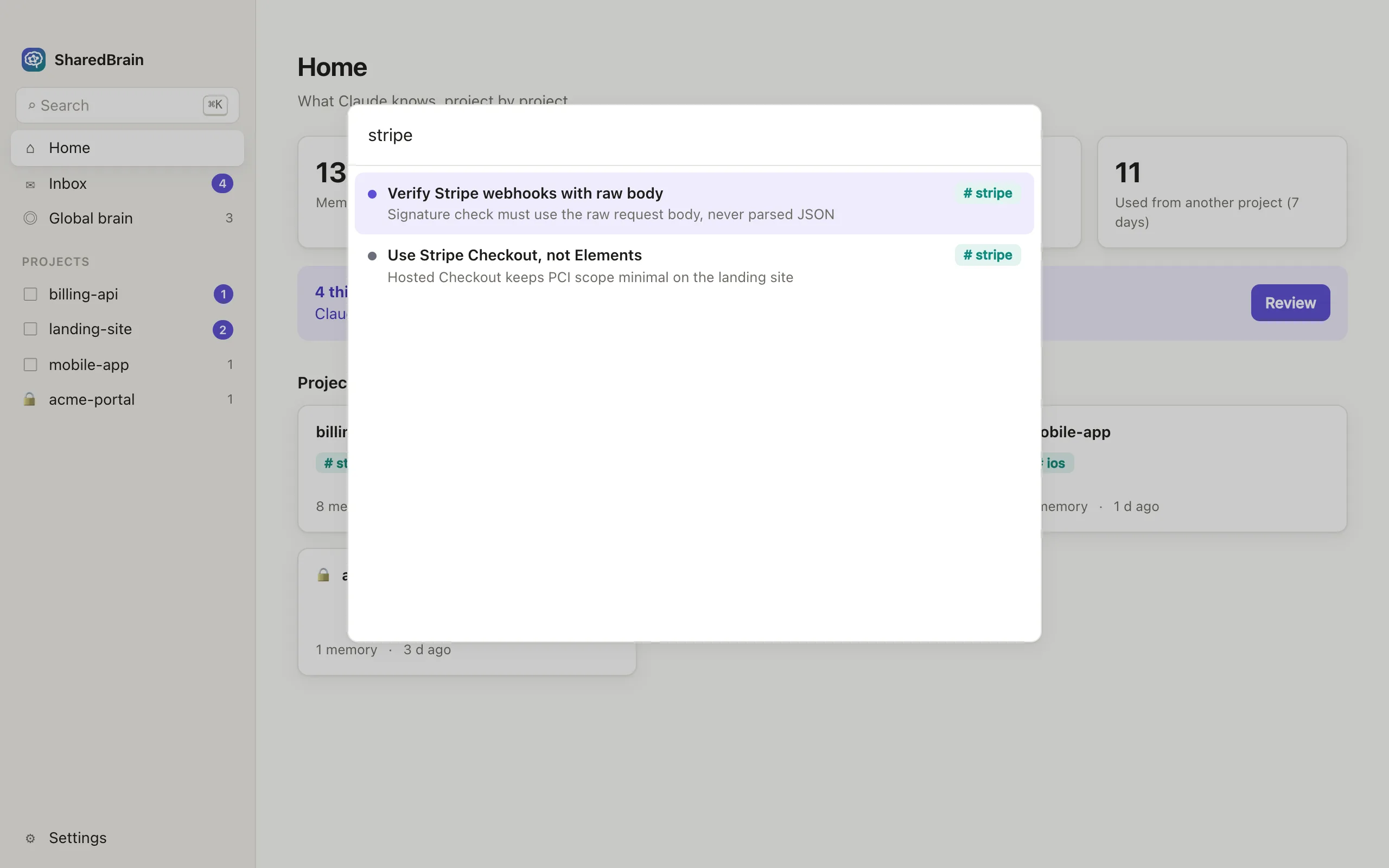
Screenshots with made-up sample data.
Your memory is a SQLite database on your Mac, in ~/Library/Application Support/SharedBrain. The app makes no network requests of its own.
Their memories stay in the project: they aren't shared with other projects or included in any future sync.
Claude can't save text that looks like an API key, a token or a password.
SharedBrain reads Claude Code's memory files and never writes to them. If you uninstall it, everything is where it was.
What SharedBrain adds to Claude's context (the briefing and search results) is sent to Anthropic as part of your Claude Code session, like your code and your CLAUDE.md files.
Free during the beta. A Pro plan for people with many projects is on the way.
$0 forever
Up to 3 active projects. No limits during the beta.
Soon price to be announced
For people who work across many projects.
Free beta for Macs with Apple Silicon.
Download .dmgDownload started. Here's how to open it.
a11fe137e03d5dc467eda2f11e13562865c23aac50f19686e803d513d799ebfcIntel Mac or Windows? Not yet: Apple Silicon comes first.
Open the .dmg and drag SharedBrain to Applications.
Open SharedBrain. This beta isn't signed by Apple yet, so the first time macOS will block it. Go to System Settings → Privacy & Security, scroll down and click Open Anyway. On macOS 14 or earlier you can instead right-click the app → Open → Open.
If macOS says the app “is damaged and can't be opened”, it's the same download check. Run this once in Terminal and open the app again:
xattr -dr com.apple.quarantine /Applications/SharedBrain.appIn SharedBrain, click Connect. It finds Claude Code, imports the memory you already have and installs the plugin.
Apple signing and notarization will come before the public release. Until then you can check that your download matches the SHA-256 above:
shasum -a 256 ~/Downloads/SharedBrain_0.1.1_aarch64.dmgNo. It's an independent app that works with Claude Code through its public plugin system (hooks and an MCP server). It isn't affiliated with or endorsed by Anthropic.
The app keeps everything in a local database and doesn't connect to the internet. What it adds to Claude's context, the briefing and search results, goes to Anthropic as part of your normal Claude Code session, like your code does. The future Pro sync will be optional and end-to-end encrypted.
It installs one plugin, sharedbrain, from a local marketplace in ~/Library/Application Support/SharedBrain using claude plugin install. The plugin adds three hooks (session start, before compaction and session end) and a local MCP server called brain. If you allow it, it also adds one rule to permissions.allow in ~/.claude/settings.json, after making a backup, so Claude can use the memory tools without asking every time. It doesn't touch your memory files or your CLAUDE.md.
In the app, open Settings → Claude Code connection → Uninstall. That removes the plugin, the local marketplace and the permission rule. Then drag SharedBrain from Applications to the Trash. To also delete the stored memory, remove ~/Library/Application Support/SharedBrain. Claude Code's own memory files stay as they were.
The briefing has a budget (6,000 characters by default, about 1,500 tokens, adjustable) and carries one-line summaries only. Claude fetches the full text when it needs it. You can preview exactly what each project's briefing contains.
It shows up in the inbox, where you can edit or archive it. Nothing is ever deleted for good: archived memories can be restored from the dashboard.
Claude Code in the terminal, in the desktop app and in IDEs: anywhere that loads Claude Code plugins on this Mac.
Yes, with no limits during the beta. After that, the free plan stays for up to 3 active projects, and Pro will be optional.